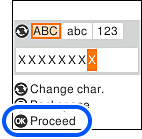
Enter the SSID password directly into the printer, and then press the OK button.
Note: |
|
The password is case-sensitive.
If you do not know the password, check if the information is written on the label of the wireless router. On the label, the password may be identified as an “Encryption Key”, “XXX Key”, and so on. If you are using the wireless router at its default settings, use the password written on the label. Click “here” for more information on how to check the password.
|