Check the SSID that is using the 2.4 GHz band and its password for the wireless router that you want to connect the printer to.
Find the information for the SSID that uses the 2.4 GHz band and its password for the wireless router that the computer is connected to.
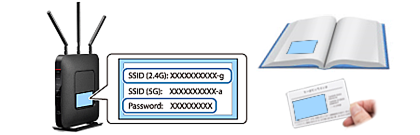
Locate the SSID and password of the 2.4 GHz band on the router label or card, or in its manual.
Note: |
|
The SSID may include with a “g”, “G”, or “b/g/n”. The password may be called a network or Wi-Fi key, or a wireless password. The style varies by router manufacturer
|