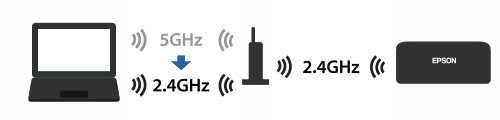
The computer is connected to the access point (wireless router) using 5GHz band. The scanner cannot be connected to the network using 5GHz band.
Before setup, switch the Wi-Fi connection band from 5GHz to 2.4GHz. If you are using the access point with its default settings, select the network name (SSID) written as "-g" or "_G".
Note: See the documentation provided with the access point for details.