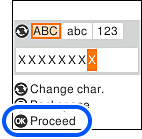
Click Display Password on this screen to display the password. Enter the password directly into the printer, and then press the OK button.
Note: |
|
The password is case-sensitive.
If no password is displayed, check if the information is written on the label of the wireless router. On the label, the password may be identified as a “Network Key”, “Wireless Password”, and so on. If you are using the wireless router at its default settings, use the password written on the label.
|